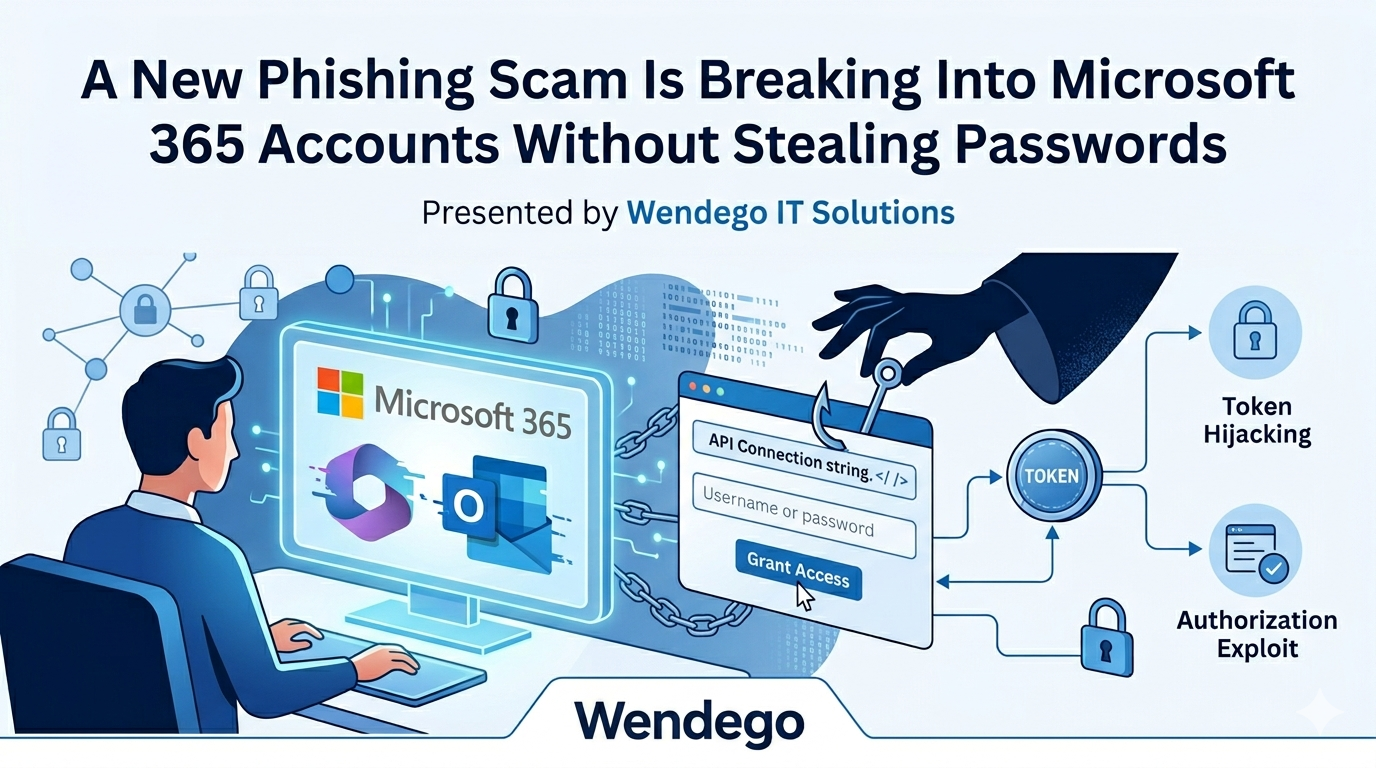


If you use Microsoft 365 for work — email, Teams, OneDrive, SharePoint — there’s a new phishing scam you need to know about. The FBI issued a public warning about it on May 21, 2026, and it’s worth your attention for one big reason: it gets into your account without ever stealing your password, and without setting off your multi-factor authentication (MFA) prompt.
Here’s what’s happening, in plain English, and how to keep yourself and your team out of trouble.
What Is Kali365?
Kali365 is what security folks call a “phishing-as-a-service” kit. Think of it like a subscription service — but for criminals. For a monthly fee, even attackers with very little technical skill can spin up convincing phishing campaigns, complete with AI-generated emails, ready-made templates, and dashboards to track their victims in real time.
It first showed up in April 2026 and is mostly being shared through private Telegram channels. The FBI is concerned enough that they issued a formal public service announcement about it.
Why This One Is Different (and More Dangerous)
Most phishing scams try to trick you into typing your password into a fake website. You can usually spot those if you look closely at the web address.
Kali365 doesn’t do that. It uses a real Microsoft web page — the same one Microsoft built so you can sign into things like smart TVs, Xbox consoles, or conference room displays that don’t have a keyboard. That feature is called “device code authentication,” and it’s perfectly legitimate. The attackers just figured out how to abuse it.
The web page is real. The Microsoft login is real. But the person you’re logging in for is the attacker.
How the Scam Works
Here’s the playbook, step by step:
- 1. The bait: An attacker sends you an email that looks like a normal notification — a shared SharePoint file, a OneDrive document, a Teams message, a DocuSign request, or a voicemail.
- 2. The hook: The email asks you to visit a Microsoft web page and type in a short code (usually 8 or 9 characters) to view the file or message.
- 3. The trap: You go to the page — it’s the real microsoft.com — and you enter the code. Everything looks completely normal.
- 4. The damage: What you actually just did was give the attacker’s device permission to sign into your account. No password needed. No MFA prompt for you. They’re in, and Microsoft has no idea anything is wrong.
Once they’re in, attackers can read your email, copy files from OneDrive, see your Teams chats, jump into connected apps like Salesforce, register their own devices on your account so they can come back later, and even set up hidden mailbox rules that quietly forward your email to them.
The Eight Subject Lines to Watch For
Security researchers at Arctic Wolf have analyzed Kali365 and found that almost all of its phishing emails are built from just eight subject line templates. If you see something close to any of these, slow down before clicking:
- “SharePoint – Document Shared: [Name] shared a file with you”
- “OneDrive – File Shared: [Name] shared ‘Document’ with you”
- “Teams – New Message: [Name] sent a message in [Company]”
- “Microsoft 365 – Voicemail: Voicemail from [Name] – [Date]”
- “DocuSign – Signature Required: [Name] requested your signature”
- “Invoice Notification: Invoice #INV-[Date] for [Company]”
- “Adobe Acrobat Sign – Agreement: Action required: [Company] agreement from [Name]”
- “Account Security Notification: Account notification for [your email]”
The attached files usually look like Excel, PDF, PowerPoint, or Word documents to make them feel routine.
How to Protect Yourself
Good news: this scam has one big tell, and once you know what to look for, it’s easy to spot.
- Be suspicious of “enter this code” requests. Microsoft will almost never ask you to type a code on a web page just to open a shared document, voicemail, or email. Device codes exist for setting up things like smart TVs, Xbox, or conference room displays — not for daily office work. If a normal-looking email is asking you to do this, stop.
- Verify before you click. If you get an email saying someone shared a file or sent a signature request, and you weren’t expecting it, contact the sender through a different channel (a quick call, text, or Teams message) before clicking anything. This single habit stops the vast majority of phishing attacks.
- Slow down on the eight subject lines. The eight subject lines above should make you pause. Not panic — just pause and double-check.
- Check the sender on mobile. Reading your email on your phone? Tap and hold the sender’s name to see the actual email address. Attackers love display names like “Microsoft Support” paired with a sketchy email address underneath.
- When in doubt, ask. If something feels off, forward it to your IT team before clicking. We’d much rather check ten false alarms than miss one real attack.
What We’re Doing on Our End
For our managed clients, we’re actively reviewing each Microsoft 365 environment and applying protections recommended by the FBI and Microsoft, including:
- Conditional access policies that block this specific attack method (called “device code flow”) for users who don’t need it, while keeping it available for legitimate business uses like conference room sign-ins.
- Policies that prevent attackers from quietly moving a stolen session from a computer to a mobile device.
- Auditing existing device code usage so we know what’s legitimate before we tighten things down — because security that breaks your workday isn’t really security.
- Monitoring for suspicious sign-ins, new device registrations, and the kind of hidden mailbox rules attackers use to cover their tracks.
If you’re not on a managed plan and you’d like us to take a focused look at your Microsoft 365 environment, just reach out. A short review can identify whether you’re exposed to this attack method and give you a clear path to lock it down.
The Bottom Line
This scam works because it doesn’t look like a scam. The web page is real. The Microsoft branding is real. Even MFA, the security control most people rely on, doesn’t get in the way.
The one thing that stops it cold is human awareness — you, pausing for two seconds before entering a code, and asking yourself: “Did I actually expect this?” That two-second pause is more valuable than any security tool we can deploy.
Share this with your team. The more people who know what to look for, the harder it gets for attackers to find a way in.
Questions or want a security review?
Reach out to your Wendego team — we’re here to help, not just react when something goes wrong. That’s the whole point of having a real IT partner.
Sources
FBI Public Service Announcement (May 21, 2026): ic3.gov/PSA/2026/PSA260521
How-To Geek coverage: howtogeek.com
Arctic Wolf technical analysis: arcticwolf.com